
WORKSPACE GUIDE
Antivirus
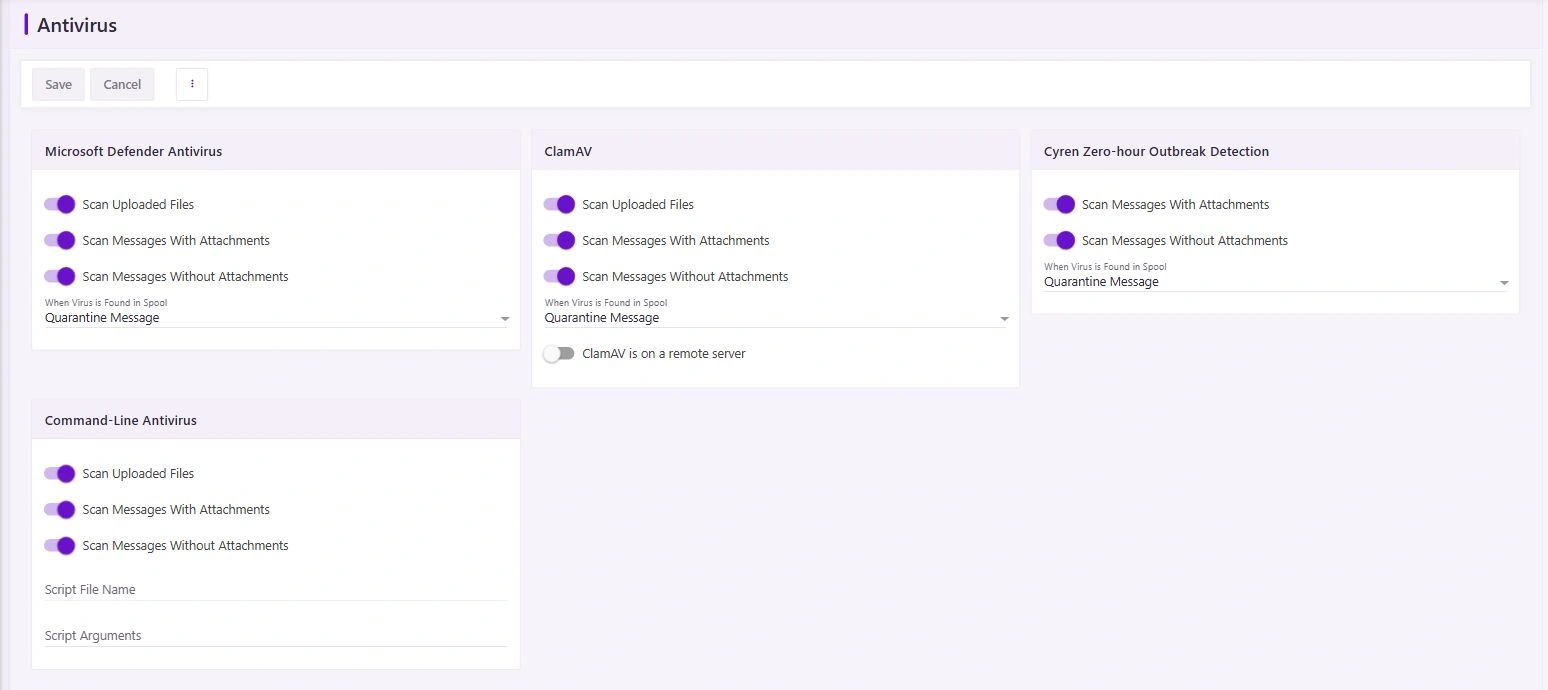
Add inspection to your mail flow with the antivirus engines configured by your administrator. Scan coverage and quarantine behavior depend on the selected engine and policy.
How to use it
- Administrators: open Settings → Antivirus and review which engines are available on this server. Enable only installed and licensed engines.
- Review scanning of messages with attachments, messages without attachments, and uploads. Choose an appropriate supported quarantine action and verify definition updates.
- Kaspersky Secure Mail Gateway is a separate deployment, not an embedded engine included with this site. To use it, license and deploy a supported gateway, then configure both inbound and outbound SMTP routes.
- A clean scan reduces risk but is not a guarantee. Review unexpected links, encrypted attachments, and requests to enter credentials through a separate trusted channel.
Updated 19 October 2026