
WORKSPACE GUIDE
Meetings
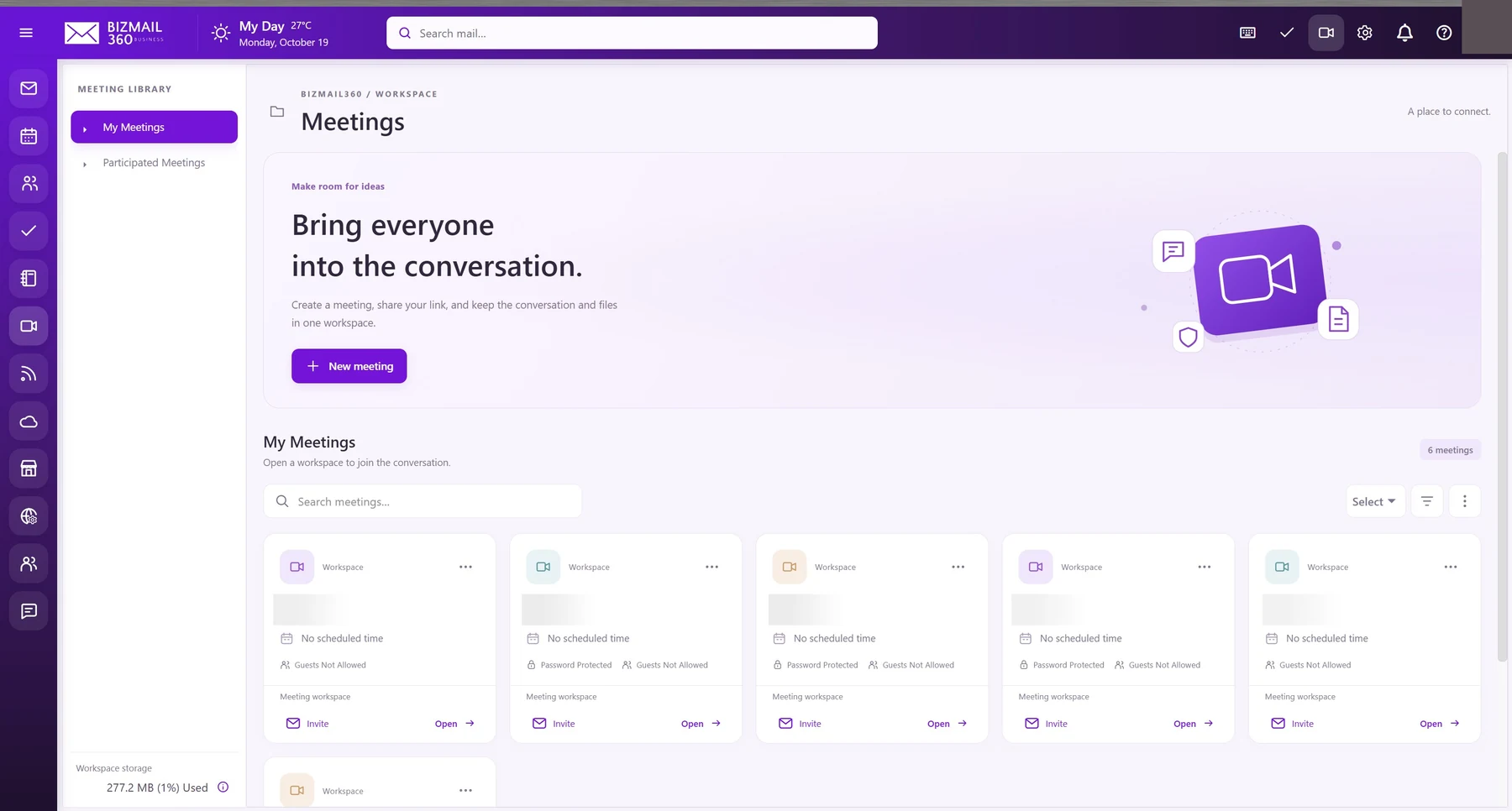
Bring the conversation, participants, and shared files together. Create a meeting workspace and give your team one place to prepare and connect.
How to use it
- Open Meetings and choose New meeting. Enter a clear name and configure the available access options.
- Keep guest access restricted unless it is needed. If password protection is offered, share the password through a suitable separate channel.
- Use Invite to prepare an invitation and Open to enter the workspace. Your browser will ask for camera or microphone access when a call requires it; grant access only to the trusted meeting site.
Updated 19 October 2026